Windows 10 / 11 ¡ Portable ¡ Fully offline

Your QQ Music downloads,
turned into MP3 that plays anywhere

TuneFree decrypts .mflac / .mgg files back into lossless FLAC in one click, then re-encodes them to everyday MP3. All of it happens on your own machine — nothing uploaded, nothing online.

The mirror is on Lanzou — no login, no sign-up. Access code 0211 is copied for you when you click.

Latest v2.1.2

Three steps

No Python, no command line. Unzip and run.

1

Open QQ Music and log in

Keep the client running in the background — you don't need to play anything.

2

Pick the folder with your songs

Unzip, double-click TuneFree.exe, then choose the folder holding your .mflac or .mgg files.

3

Press start

Finished MP3s land in the output folder, named exactly like the originals — copy them anywhere.

If it helped

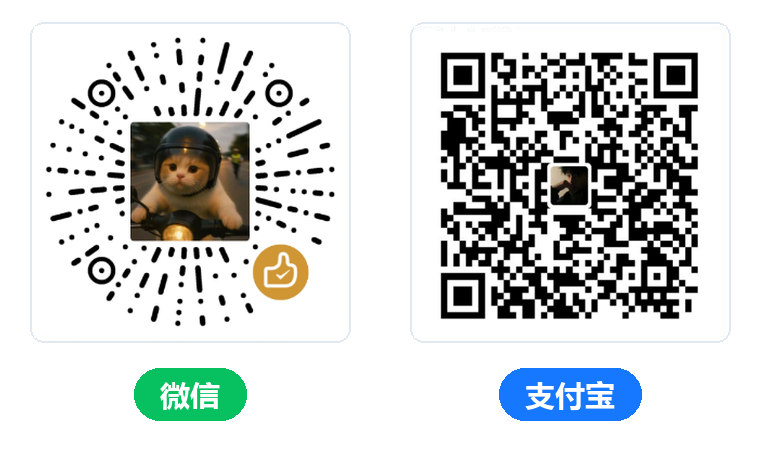
Completely free, no ads, and it always will be. If TuneFree genuinely saved you some time, you can buy the author a milk tea 🧋

Left: WeChat tip QR, right: Alipay tip QR

Scan the left code with WeChat, the right one with Alipay — whichever is handier. No money is fine too: leave a star or pass the tool on to someone who needs it, and that helps just as much.

What it does

Decryption pulls the key from inside the running client; encoding is handed to ffmpeg.

🔓

Decrypts .mflac / .mgg

It injects into the QQ Music process and calls its own decryption routine — no cloud service, no subscription.

🎚️

Three output modes

MP3 only, lossless FLAC only, or keep both. Bitrate 128k / 192k / 320k.

📁

Tidy output

Walks subfolders recursively and writes to output/mp3 and output/flac, keeping the original names.

📊

Live progress

Both decryption and encoding report progress, so you can see exactly where it stalls. Any file that fails is named in the log.

🔁

Resume safe

Interrupted halfway? Running it again skips the files already finished instead of starting over.

🛡️

Nothing phones home

Apart from the update check it contacts no server. Your library and files stay on your disk.

Download

GitHub is recommended — always the newest and the cleanest. Use the mirror when GitHub is unreachable.

v2.1.2Latest
Windows 10 / 11 64-bit ¡ Portable ¡ Unzip and run
⬇ Download from GitHub

Older builds live on the Releases page. The app tells you when an update is out, so there is no need to check back here.

LanzouDirect link for mainland China, no login · access code —
Go →
Source on GitHubBuild it yourself or read the code
View →
ChangelogWhat changed in each release
View →
⚠️ Read this first — it prevents most problems:
  • Your antivirus will complain. The app uses Frida to inject code into the QQ Music process, which is exactly what malware does. Add an exclusion — the source is public.
  • The first launch may be stopped by a blue window. That is SmartScreen, not a detection. Right-click the zip → Properties → tick Unblock → then extract and it will not appear again. Already extracted? Click More info → Run anyway.
  • QQ Music must be running first — otherwise the app says so and exits.
  • Only the Standard / HQ / SQ tiers are supported — songs downloaded as Hi-Res (臻品音质), Master (臻品母带) or Dolby Atmos carry no normal audio stream and will always fail.
  • Extract somewhere ordinary. Inside managed folders (corporate drives, some user directories) ffmpeg may lack permission to write files.

A download count you can check

The previous release v2.0.0 shipped on 2026-06-30 and had been downloaded 3,660 times by 2026-10-31. That figure comes from Lanzou's own backend — the author cannot edit it.

Thousands of people have installed and used this tool. Something genuinely malicious would not stay quiet.

Lanzou dashboard ¡ TuneFree folder ¡ screenshot taken 2026-10-31 ¡ v2.0.0 has 3,660 downloads (click to enlarge)
← swipe sideways on mobile to see the whole screenshot →

Help

The window has three parts: options on top, the running log in the middle, the start button at the bottom.

🖥️ What's in the window

  • Input folder: where your .mflac / .mgg files live. Leave it empty to use the app's own folder.
  • Output folder: results go here, and the app creates mp3 / flac subfolders inside it.
  • MP3 bitrate: 192k by default; pick 320k for better quality and bigger files.
  • Output format: MP3 only / FLAC only / keep both.
  • Log: every step is written here. If something breaks, paste it into an AI assistant or send it to the author.

🚀 Order of operations

  1. Open QQ Music, log in, and leave it running.
  2. Double-click TuneFree.exe.
  3. Click Browse next to the input field and pick the folder holding your songs.
  4. Choose the output format and bitrate.
  5. Press Start and wait for the progress bar to finish.
  6. Collect your files from the output folder.

FAQ

Click to expand — including the ones that look like bugs but aren't.

"Please make sure the QQ Music client is running, then try again"

Start QQ Music and log in first, then launch TuneFree. If it still complains while QQ Music is running, try running as administrator — injection needs higher privileges in some environments.

invalid size or "QQ Music version mismatch"

A QQ Music update renamed the decryption symbol, so the bundled script can no longer find it.

  • Update QQ Music to the latest build, then check whether a new TuneFree release exists;
  • Workaround: roll QQ Music back one version;
  • If neither helps, ask in the QQ group and attach the error log from the app.
Decryption works, but every MP3 conversion fails

If the log shows Permission denied or exit code -13, ffmpeg is being denied write access — the songs themselves are fine. Usual causes:

  • Antivirus (360, Huorong, Defender) is blocking ffmpeg's disk writes — add an exclusion;
  • The app may sit in a managed folder — move it somewhere ordinary such as D:\ or the Desktop and retry;
  • The output folder is read-only, or another program is holding the file open.
A handful of songs simply won't convert

Check the quality tier first. Only Standard / HQ / SQ are supported; if a song was downloaded as Hi-Res (臻品音质), Master (臻品母带) or Dolby Atmos it carries no normal audio stream, so conversion always fails — re-download it at SQ or lower and retry.

If it is already Standard/HQ/SQ, some files need to be played once in QQ Music first, so the full data lands in the local cache — then convert them. Re-downloading just those tracks also helps.

"Windows protected your PC" — a blue window blocks it from running

That is SmartScreen's "unknown publisher" warning, not a virus detection. Either of these works:

In the blue window click More info, then Run anyway at the bottom right. You only need to do this once per file.

Removing the warning entirely requires a code-signing certificate, which costs thousands of yuan a year. This project is free, so it has not gone down that road.

My antivirus flags it as a virus

It is a false positive caused by Frida injection. The whole source is public on GitHub if you want to verify it yourself. Add the app folder to your exclusions, or pause real-time protection for the conversion and turn it back on afterwards.

Does it look inside subfolders?

Yes — it scans every level below the input folder for .mflac / .mgg.

How do I keep the lossless FLAC?

Choose "keep both" as the output format, or pass --keep-flac on the command line. Want FLAC without MP3? Pick "FLAC only".

I closed it halfway through — do I start over?

No. Running it again skips files that already exist and only fills the gaps. To force a full rebuild, tick "Regenerate existing MP3s".

Mac / Linux support?

Only a Windows 64-bit build is published. The core is plain Python, so it should run elsewhere in theory, but there is no package and it has not been tested.

Credits

It stands on the shoulders of a lot of open-source work.

Frida provides the injection ¡ FFmpeg handles encoding ¡ the decryptor started as ericjuice/music-decryptor ¡ packaged with PyInstaller ¡ first GUI by "Moli" ¡ testing by "Huahong Dakuci" ¡ "Sparkle" contributed the play-once workaround ¡ icon and naming from "Doubao" ¡ documentation framework organised with DeepSeek ¡ and years of format knowledge from the Unlock Music community.